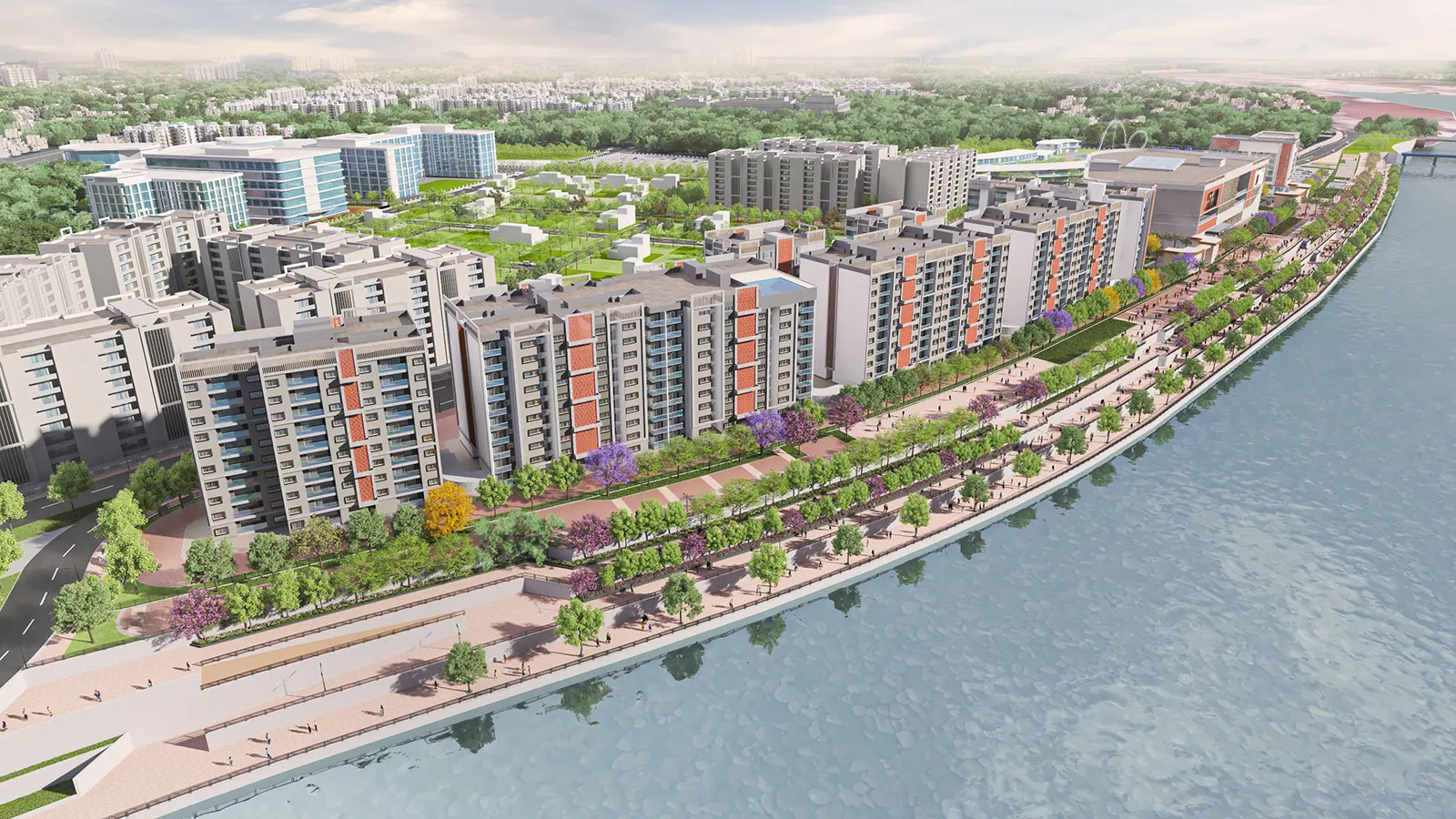



An NRI buyer who cannot visit decides on what you send. Three assets do most of the work: a walkthrough film to show the project, a 360 tour to let them look around a space on their own, and a 3D floor plan to explain the unit. Keep the three separate, give each one a clear job, and deliver them through channels that work across time zones: WhatsApp, YouTube and a scheduled video call.
This guide is for sales and marketing teams who brief these assets. It explains what each format does, what to show, how to review drafts the way a buyer abroad will see them, and how sales teams put the finished material to work.
What an NRI buyer needs before booking
A buyer abroad cannot walk the site, meet the sales team over a coffee or look at the neighbourhood. Most of them have the same short list of questions, and good assets answer them before anyone asks.
- Where is it, and how do I get around? Roads, metro, schools, hospitals, the airport.
- What will the project feel like? Scale, landscaping, the entrance, the lobby, the amenities.
- What exactly am I buying? Unit size, layout, the position of rooms, balconies and storage.
- What will I see from the windows? Floor level, direction, surroundings.
- Who can I speak to? A named contact and a time that suits their day.
Each of the next sections maps an asset to some of these questions.
Three assets, three jobs
These formats are often mixed up, and mixing them up leads to muddled briefs. For definitions of each format and how they relate, read our 3D walkthrough guide for developers. Here is how they differ in use.
The walkthrough film
A 3D walkthrough film is a directed story: the camera arrives at the entrance, moves past the towers, enters the lobby, passes through a sample flat and finishes on the amenity deck. The route, pacing, light and music are set in the brief and approved by your team. The viewer sits back and watches.
Its job is to build desire and a first impression of the whole project. It answers “what will it feel like?” and is the asset most likely to be shared, because it plays anywhere. A film is not interactive, and the buyer sees only what the route shows.
The 360 tour
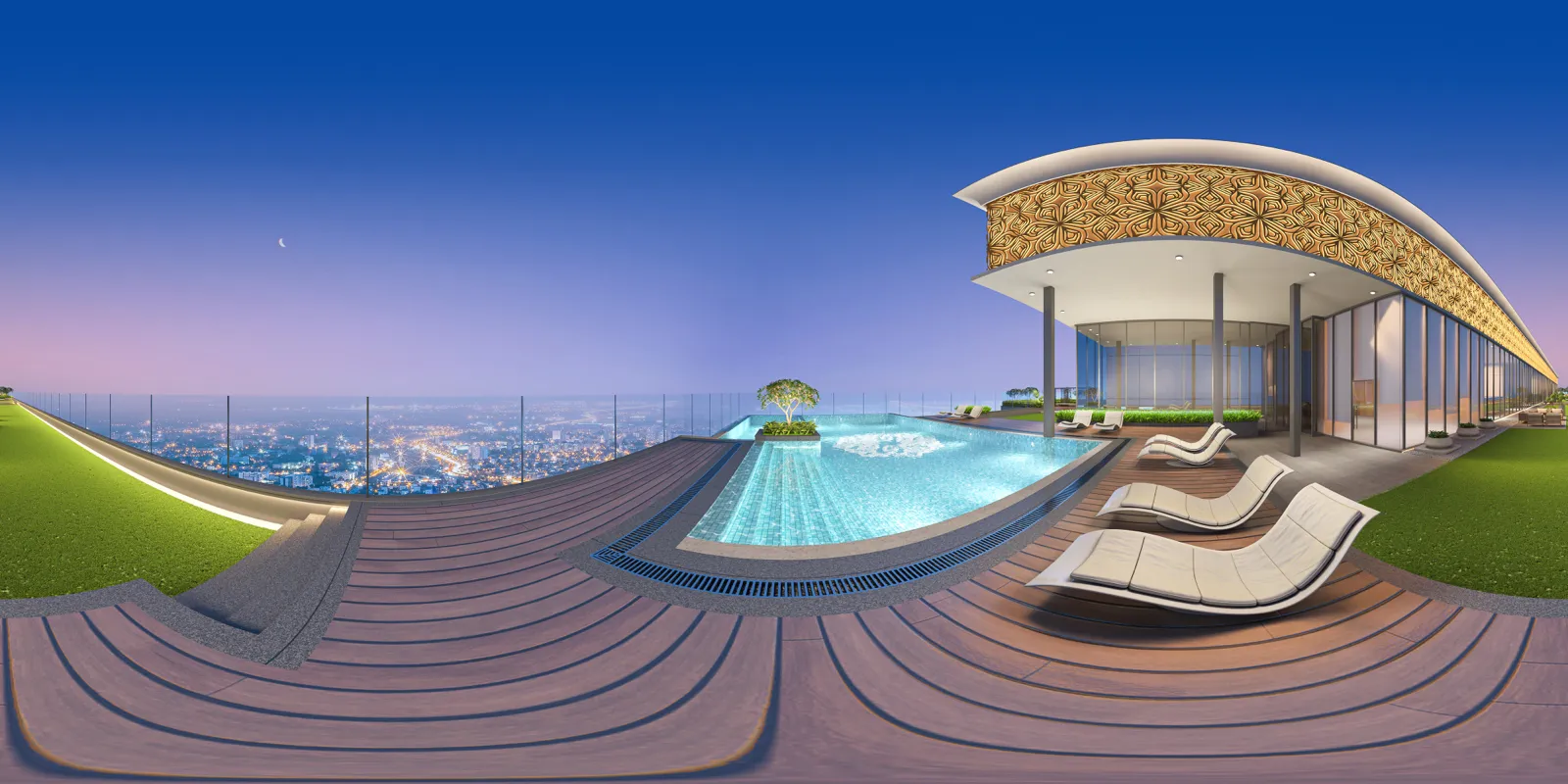
A 360 virtual tour is the opposite: the viewer is in control. They stand at a fixed point, such as the living room, the lobby or the rooftop deck, and turn, tilt and zoom to look wherever they like. Several viewpoints can be linked so they can move from one to the next.
Its job is reassurance and inspection. It answers “what is it like to stand there?” and “how big is this room?” An NRI buyer can spend as long as they like looking at the corner of the balcony, which a film cannot offer. A 360 tour runs in a phone browser, so it can be sent as a link.
The 3D floor plan
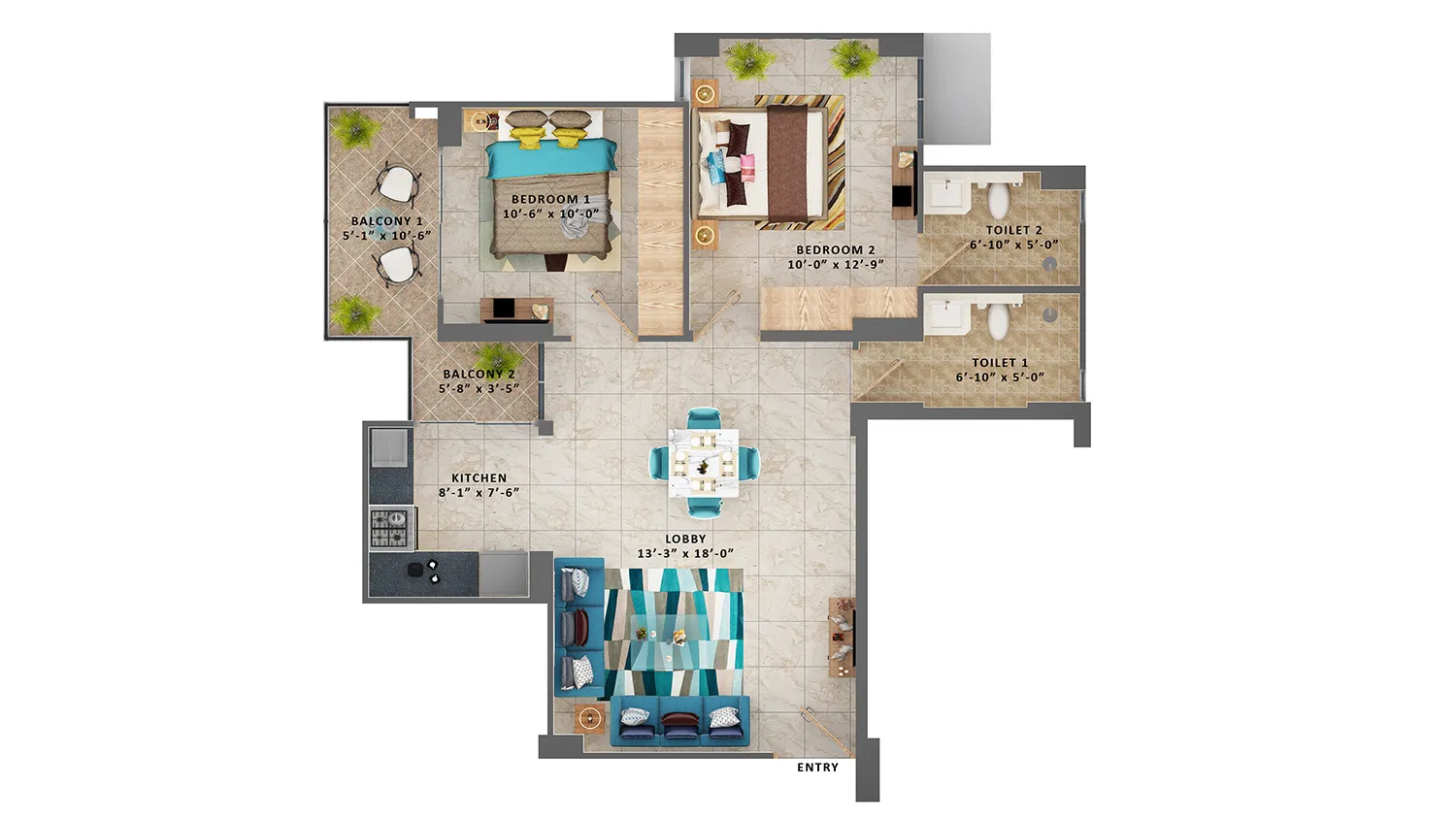
A 3D floor plan is a still image that shows a unit from above, with walls, furniture and finishes visible. It is neither a film nor a tour. Its job is to explain the layout: where the rooms sit, how the unit flows, how large the living space feels.
It answers “what exactly am I buying?” and gives the sales team something to point at on a call. It is also the easiest asset to send as an image on WhatsApp. For where plans sit among the other stills in a launch, see our guide to 3D rendering for real estate marketing.
How they work together
Use the film to make someone care, the 3D floor plan to explain the unit, and the 360 tour to let them check the spaces for themselves. A buyer who has seen all three has seen the project, the unit and the rooms, and can ask better questions on the call.
What to show
Plan the content around the buyer’s questions, not around the studio’s favourite shots.
Connectivity. A film and a map work well together. A short aerial sequence that shows the project in relation to main roads, the metro line or the business district gives context that buyers abroad often lack. Check that the aerial matches your approved site plan, and label anything that is planned rather than built.
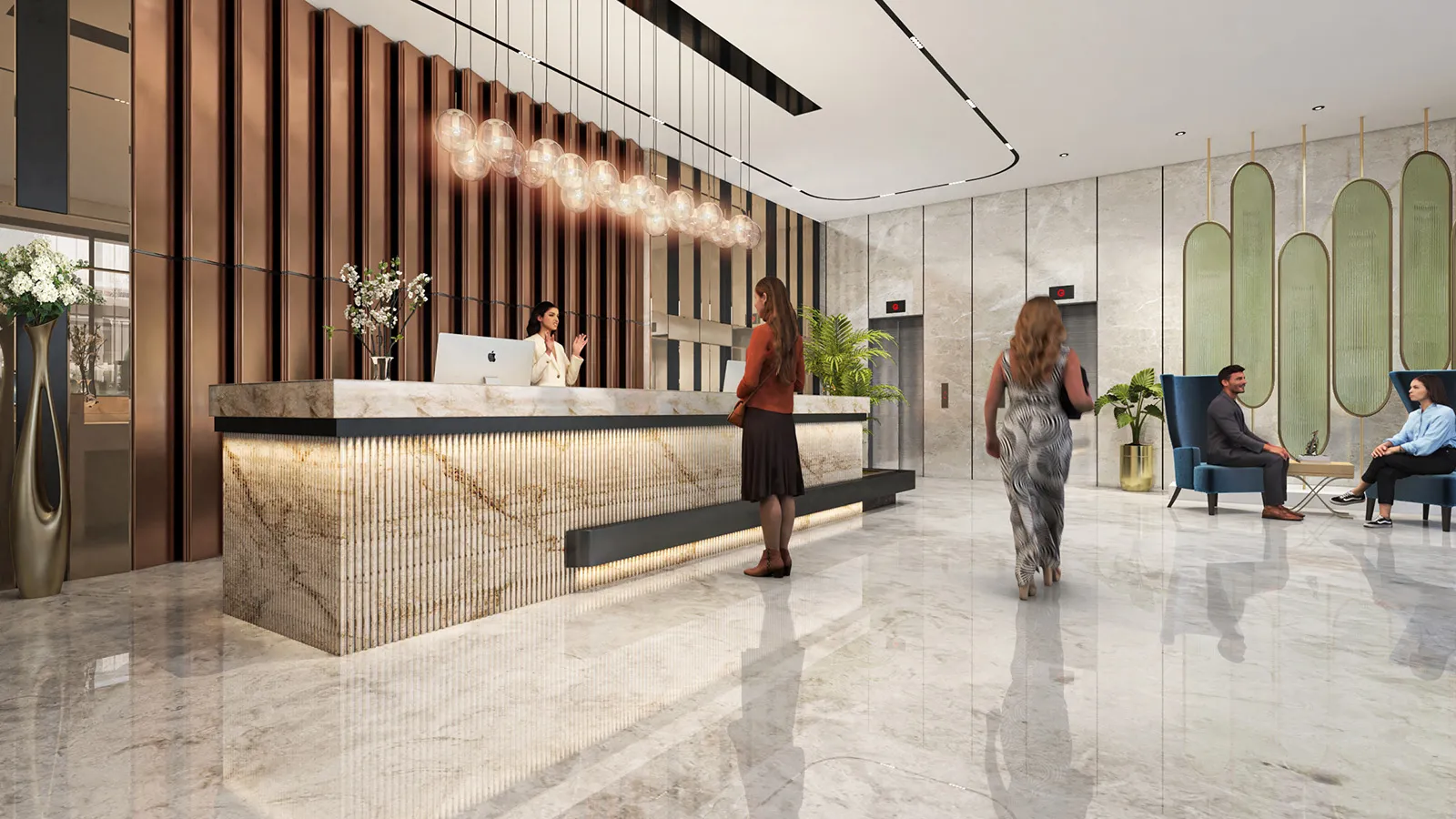
Amenities. Show the clubhouse, the pool, the play areas and the landscaped walks with people using them, so the scale feels real. This is where a film earns its keep.
Unit layout. Show each unit type in a 3D floor plan, and show at least one furnished flat in a film or a 360 tour. Use the finishes you actually plan to offer, and state clearly what the render shows and what the buyer will receive.
Views. Views are one of the hardest things to convey from a distance. If your project has real views, show them from the actual floor level and direction, using the surrounding context from the approved plan. Do not show a view the building will not have.
Review the drafts the way a buyer abroad will see them
Most approvals happen in a meeting room on a large screen. A buyer abroad is more likely to see the same material on a phone, sometimes over a mobile connection, and sometimes forwarded by a relative. Build that into the reviews.
Check every draft on a phone. Open the film draft and the 360 link on an ordinary phone, not only on the studio’s monitor. Text that is readable on a screen in the sales lounge can be too small on a phone, and a dark night scene can turn to mush.
Use the approval stages. For films and stills the studio shares a clay stage, then colour, then final. Approve camera paths and composition in clay, finishes and lighting in colour, and only small corrections at the end. Our process page shows each stage.
Share the screen, not just the files. A review call where the studio walks through the draft frame by frame is faster than a long email thread. Comments become specific: “move the camera left of the tree at this point” rather than “the shot feels off”.
Consolidate comments. One person collects the team’s notes and sends one list per stage, with frame or viewpoint references.
As a guide, a set of stills usually takes about a week and a walkthrough film takes 3–4 weeks from approved drawings. The dates depend on scope and on how quickly each approval comes back, so plan backwards from the day your NRI campaign starts.
How sales teams use the assets
Finished assets only help if sales teams know how to use them. Here are the channels that tend to work.
WhatsApp. This is where many conversations with buyers and channel partners already happen. Send a short film link, a 3D floor plan image and a 360 tour link in separate messages, each with one line saying what it shows. Do not send a large file when a link will do, and do not attach everything at once.
YouTube. Host the walkthrough film as an unlisted or public video and share the link. It plays on any device, can be forwarded to family, and loads reasonably even on a slow connection because the viewer can adjust quality. Add a clear title and a description that includes the project name, location and a contact number.
Video calls. Treat the call as a guided visit, and book it at a time that suits the buyer. India is 5 hours 30 minutes ahead of UTC. The UAE and Oman are 1 hour 30 minutes behind India, and Saudi Arabia, Qatar and Kuwait 2 hours 30 minutes behind, so an evening call in India is a late-afternoon call there. A late-evening slot in India reaches the US and Canada in their morning or around midday, depending on the coast and the season, and Singapore is 2 hours 30 minutes ahead of India. On the call, the sales executive shares a screen, opens the 360 tour at the unit’s living room, then the balcony, then the amenities. They bring up the 3D floor plan to explain the layout, and play the film only if the buyer asks to see the project overall. Because the buyer can see the tour live, they ask questions as they go.
Family in India. If a parent or sibling visits the site or the sales office for the buyer, give them the same links the buyer has, so both are looking at the same, current material.
Channel partners. Package the assets for brokers and partners in other cities and countries: a short folder or page with the film link, the 360 tour link, the floor plans and the approved labels. Partners then forward the same, correct material rather than screenshots.
Labels on every visual
Treat every visual as an artist’s impression. Put that label on films, tours and floor plans, and show the registration details your team requires. The relevant RERA rules and state authority requirements are for your legal or compliance team to interpret. This is general information, not legal advice. We leave room for the labels in every layout.
Brief checklist
- List the questions your NRI buyers ask most, and match each to a film, a 360 tour or a 3D floor plan.
- Choose which unit types get a floor plan and which spaces get a 360 viewpoint.
- Agree who checks each draft on a phone, and the one person who consolidates comments.
- Decide where the finished assets will live: a YouTube link, a 360 tour link and a folder for partners.
- Brief the sales team on how to use them before launch day.
Send us your drawings, unit mix and launch date, and we will scope the right mix of assets and reply within 24 hours.